STREAMAX / DEVELOPER ECOSYSTEM

Your application.
Our foundation.

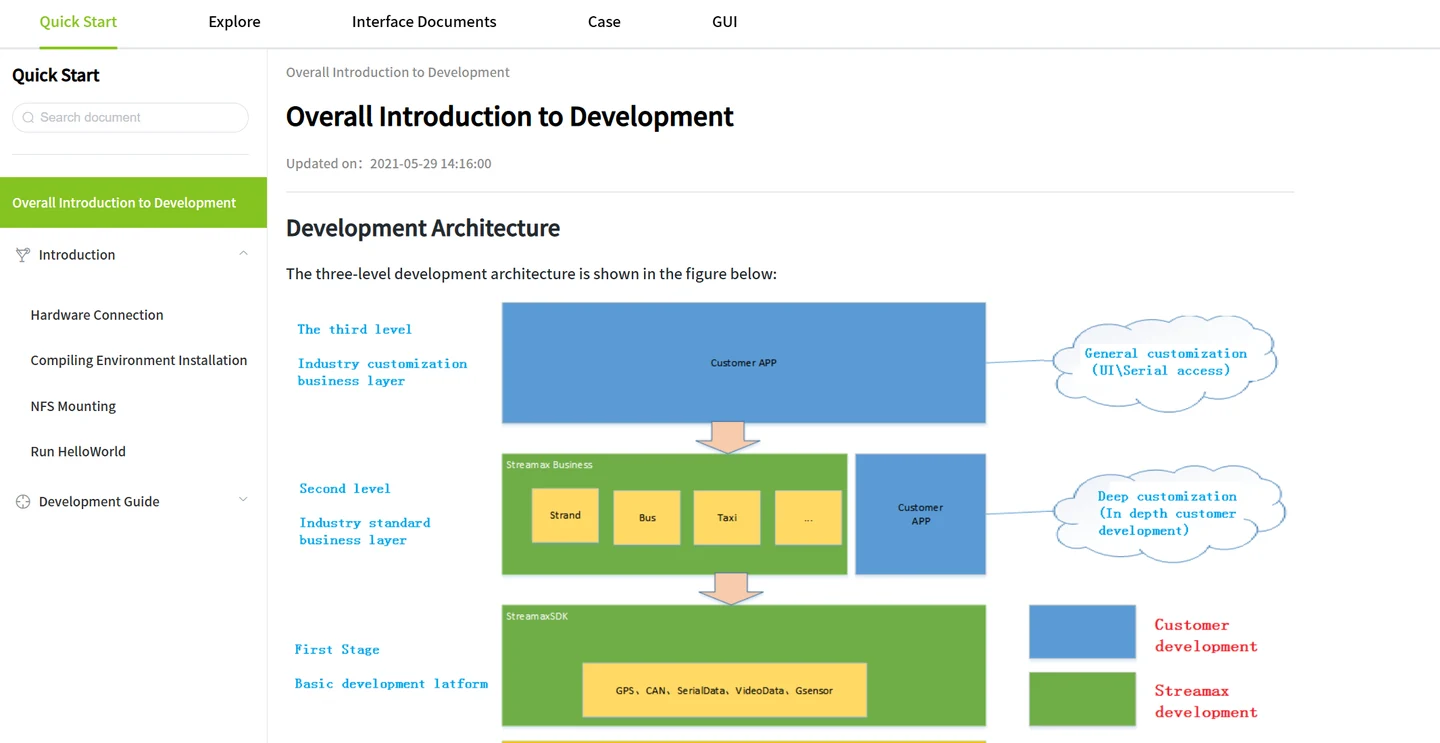
Develop on Streamax’s three-layer architecture: a shared SDK foundation, an industry baseline and your own application. Explore the interfaces, frameworks and integration paths behind the model.

For device developers, platform teams and solution partners.

Three development layers, one shared foundationCustomer customization sits above an industry baseline, which builds on the SDK and common platform. Lower layers are reused by multiple customer projects.THE DEVELOPMENT PYRAMIDCustomizationCustomer applicationIndustryFreight · Bus · TaxiFoundationSDK · Platform · Hardware adaptation030201Shared capabilities → Industry reuse → Your differentiation
The three-layer development model.Explore each layer ↓
400+

APIs to build with

40+

Development demos

40+

Reusable components

30+

FAQ cases

Resource availability depends on the device and SDK release.

01 / THE ARCHITECTURE

Three layers.
Room to make it yours.

Keep the low-level complexity in the platform. Reuse the industry capabilities you need. Put your development effort into the features that make your solution different.

CUSTOMER CUSTOMIZATION

Shape the experience.
Implement your business logic.

Build custom applications, alarms, workflows and private protocols on top of the SDK and industry baseline. Connect peripherals through serial, network and CAN interfaces.

Custom GUI & web UIBusiness workflowsPeripheral plug-insPrivate protocols

Your team develops the application. Streamax supplies the underlying platform and development support.
READING THE THREE LAYERS

The Foundation supplies shared device capabilities; the Industry layer turns those capabilities into reusable industry behavior; the Customization layer adds a customer's interfaces, workflows, alarms and protocols. The foundation is the SDK Layer and includes standard products, the basic platform and hardware adaptation.

These are layers of software responsibility and reuse. They do not represent three separate devices or three network hops. The detailed interface layer includes Standard C APIs, Android APIs and Web APIs.

DIAGRAM 01 / INSIDE THE FOUNDATION

From hardware adaptation
to application interfaces.

The SDK foundation combines application interfaces, reusable services and underlying frameworks. Each level builds on the capabilities beneath it.

STANDARD PRODUCTSMDVRDashcamCameraTablet

BASIC PLATFORM

Interface layerStandard C APIAndroid APIWeb API

MANAGERS, SUBSYSTEMS & SERVICES

Audio priorityPowerMaintenanceFile import / exportPeripheral parsing plug-insTime correctionLocation servicesSnapshotsBasic alarmsSpeedEncodingRecordingOSDGUI frameworkWeb frameworkONVIF networkN9M networkIndustry support components
Storage system

File system, recordings, black-box data, picture files and hot-plug handling.

Device management

Serial port, CAN, digital I/O and GPS access.

Network access

4G, Ethernet, Wi-Fi and Bluetooth connectivity.

Inter-process communication

Shared memory and message communication. IPC here describes software-process communication.

Audio / video

Encoding, decoding and audio/video inputs and outputs.

AI

Algorithm input, middleware and signal-analysis plug-ins.

Parameter management

The shared framework for device and application parameters.

Log management

The logging framework shown as a shared platform service.

Hardware adaptationChipset · Wireless module · AD · GPS
SHAREDCBB
common library

Common library components shared across the foundation.

The SDK is broader than a single API. Its interfaces expose the platform services and frameworks beneath them.

WHY THE SEPARATION MATTERS

Reuse below. Specialize above.

A hardware difference belongs at the adaptation boundary; a shared recording or networking function belongs in the platform; a customer workflow belongs in the customization layer. This is an architectural reading of the model, not a promise that every change can be isolated automatically.

WHAT STILL NEEDS CONFIRMATION

The project defines the contract.

Confirm the supported interfaces, versions, resources and dependencies for the chosen hardware before implementation. Review API signatures, compatibility requirements and device support with the project team.

DIAGRAM 02 / INDUSTRY REUSE

A baseline turns platform functions
into industry behavior.

The bus baseline below illustrates how shared platform capabilities become industry functions. Freight and taxi projects use their own applicable baselines, with modules confirmed during project evaluation.

Example: bus industry baselineBus-specific example

Industry protocols

Bus dispatch and active-safety protocols.

Business coordination

Event-linkage priority; station-reporting linkage; upgrade-parameter conversion; OSD overlay management.

Industry alarms

Overspeed; skipped or delayed stations; signal events; standby compliance; crossing overspeed; yielding to pedestrians.

Reusable components

Station-reporting algorithms; CAN configuration; road snapshots; operation management; attendance management.

Interfaces & resources

GUI, web interface, resources and configurations.

Peripheral plug-ins

Bus peripheral integrations, including CAN interfaces, displays and LED devices.

Built on shared SDK services and hardware interfaces
A standard industry baseline can be reused across customer projects; each project's customization sits above it.
What belongs in the customer customization layer?

Business logic

Custom alarms, business processes and private protocols.

User interfaces

Customer GUI and web interfaces, resources and configuration files.

Peripheral plug-ins

Serial-port, network-port and CAN-port integrations.

These modules build on the SDK and industry baseline. Different customers can implement their own applications over that shared starting point. Licensing and intellectual-property terms are agreed separately for each project.

02 / WHAT YOU CAN BUILD

One platform.
Many ways to connect.

From a CAN peripheral to a customer AI library, the SDK opens the functions that turn a device into your solution.

DEVICE & I/O

Connect to the vehicle.

Read device status, integrate peripherals and control the parameters that your application depends on.

  • Voltage, ignition, GPS, temperature and G-sensor status
  • Serial, network, CAN and digital I/O interfaces
  • Parameter get/set, monitoring, import and export
  • Custom alarm types, alarm queries and event linkage
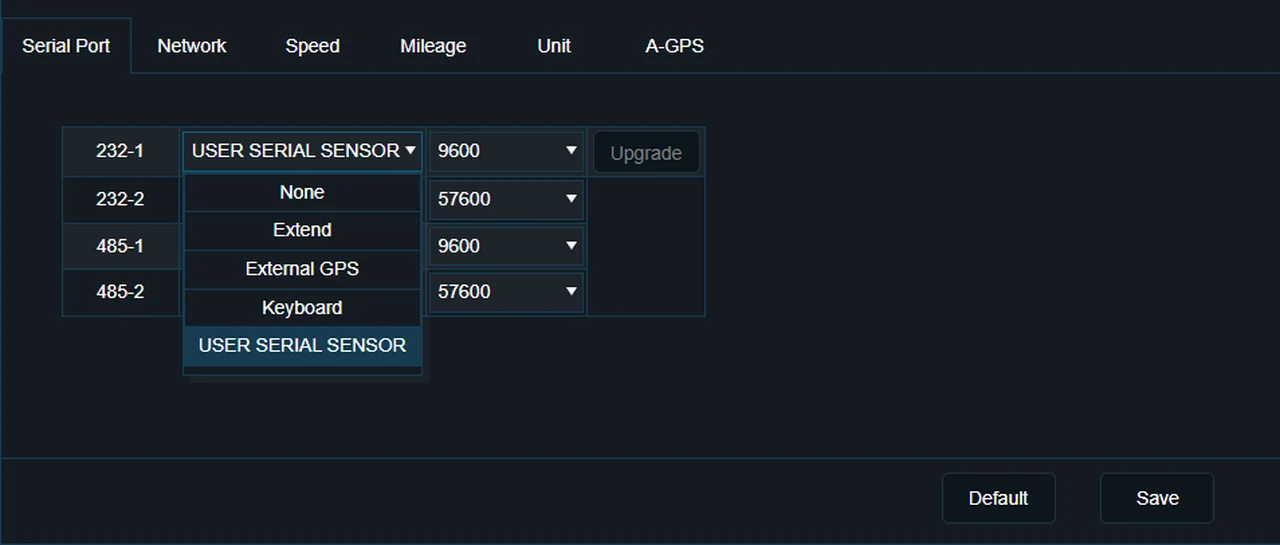
Peripheral configuration interface with serial port settings
Peripheral configuration example

API REFERENCE OVERVIEW

Nine areas of device access.

Expand an area to explore its operations and the implementation questions to resolve for your project.

9 API areas

01Device statusRead the operating state of the device and vehicle inputs.

Interface operations

Voltage; vehicle key / ignition status; GPS; temperature; G-sensor.

Project questions to resolve

Confirm available signals, units, update rates and device-specific behavior.

02Peripheral developmentConnect additional equipment and implement its protocol or parsing logic.

Interface operations

Serial port; network port; CAN port; digital I/O. Custom CAN / serial parsing with existing GUI or web interfaces.

Project questions to resolve

Specify the peripheral model, interface, message format and required configuration screen.

03Algorithm integrationIntegrate a customer algorithm plug-in with the platform.

Interface operations

Customer algorithm plug-in development. The AI adapter example exchanges YUV video and speed information for ADAS / DMS alarms.

Project questions to resolve

Confirm the input format, target chipset, resource budget and alarm interface in the project SDK.

04Audio & videoUse media functions without rebuilding the underlying audio/video framework.

Interface operations

Audio/video encoding; image capture; preview; MP3 playback; text-to-speech playback.

Project questions to resolve

Confirm channel counts, formats, encoding options and simultaneous-operation limits for the target model.

05Parameter controlRead, change, monitor and transfer configuration parameters.

Interface operations

Parameter import and export; get and set; parameter monitoring.

Project questions to resolve

Confirm which parameters are exposed, how changes take effect and which settings persist after restart.

06RecordingFind and use recorded video through the recording interfaces.

Interface operations

Video query; playback; export; overlay; pre-recording.

Project questions to resolve

Define the required time range, evidence format and pre-recording behavior with the supported SDK release.

07AlarmsQuery events and connect them to customer-defined behavior.

Interface operations

Alarm queries; alarm linkage; custom alarm types.

Project questions to resolve

Define the event conditions and required actions, then confirm event delivery and linkage behavior.

08Black-box dataWork with custom data types in the platform's black-box facilities.

Interface operations

Custom types; queries; export.

Project questions to resolve

Confirm data structure, timestamps, retention and export format in the detailed interface documentation.

09StorageManage storage media and recording-space behavior.

Interface operations

Disk mounting; formatting; private file-system format; loop overwrite.

Project questions to resolve

Confirm supported media, file-system requirements and storage lifecycle behavior on the selected device.

Consult the project-specific API documentation for function names, arguments, return values and error codes.

CORE CAPABILITY INVENTORY

Sixteen platform
capabilities.

Explore the platform capabilities by purpose. Confirm availability and performance for the selected device and software release.

Media & storage

  • Self-developed file system
  • Adaptive bitstream
  • Audio noise reduction
  • Multi-scene image adaptation
  • Memory health warning

Operation & maintenance

  • Fast boot
  • Remote operation and maintenance
  • Automated testing
  • Differential upgrade

Vehicle awareness

  • Electronic fence
  • Vehicle posture
  • High-precision positioning
  • AVM

Connectivity & protection

  • Multi-network protocol capability
  • Network / data security
  • Functional safety

Confirm applicable safety certifications, security requirements, positioning accuracy, boot time and resource limits for the selected product and release.

03 / CHOOSE THE INTEGRATION PATH

Connect the platform.
Or extend the device.

These are different development tasks. Start with the behavior you need to change, then decide which side of the connection needs development.

PATH A / PLATFORM PROTOCOL INTEGRATION

Use existing device behavior.

Your platform needs to communicate with the device using an existing protocol. Start by evaluating the existing protocol and supported functions.

  • Confirm the protocol and supported functions.
  • Integrate and validate the platform connection.
  • Device-side customization is a separate requirement.

PATH B / DEVICE-SIDE SDK DEVELOPMENT

Add custom device behavior.

Your project needs additional logic, custom functions or protocol behavior on the device. Confirm this development path through an R&D evaluation.

  • Describe the device behavior you need to add.
  • Agree the interfaces, resources and project branch.
  • Develop and test the device and platform together.

The N9M / 808 integration example includes preview, playback, evidence upload and snapshots over the network link. ONVIF is another network integration path. Obtain the applicable protocol specifications and access for your project.

DIAGRAM 04 / CUSTOMER AI INTEGRATION

Change the AI library.
Keep the surrounding framework.

The two modes share the application, adapter and SoC-library structure. The customer mode replaces the StreamaxAI library with a customer AI library.

StreamaxAPPApplication and business framework
StreamaxAI AdapterThe interface around the algorithm library

YUV video
Speed information

ADAS alarms
DMS alarms

StreamaxAI libraryStreamax algorithm implementation
SoC libraryUnderlying chipset library

WHAT THE ARROWS MEAN

Inputs go to the library.
Alarm results return to the adapter.

YUV video and speed information flow from the adapter to the AI library. ADAS and DMS alarms return to the adapter.

Streamax mode

The algorithm implementation is the StreamaxAI library.

Integration details to confirm

Confirm call signatures, memory ownership, threading, scheduling, supported chipsets and resource budgets using the target SDK documentation and project evaluation.

Switching modes changes this illustration only.

04 / FOLLOW ONE WORKFLOW

From a vehicle signal
to a business event.

This illustrative trucking workflow combines the documented peripheral, alarm, recording and networking capabilities. It shows where each layer contributes; it is not a prepackaged feature or a live device simulation.

Vehicle & peripheralsCAN · Serial · I/O · Cameras
ON-DEVICE SOFTWARE
03Customer workflowDecision & actions
02Industry baselineReusable business behavior
01SDK foundationRead · Record · Communicate
Customer platformEvents · Evidence · Review
FOUNDATION / DEVICE MANAGEMENT

Read a supported vehicle or peripheral input.

The device-management framework exposes interfaces such as serial, CAN, digital I/O and GPS. The exact signal set and API contract depend on the project hardware and SDK.

Example design decision

A project might define a custom event when an agreed vehicle signal changes, request a snapshot or recording action, then report the event to its platform. Signal conditions, recording behavior and delivery handling must be specified and validated for that project.

Why this uses all three layers

The SDK handles the device capabilities; the baseline provides applicable shared business behavior; the customer layer decides what the event means for its operation. A custom parser can be an industry or customer plug-in, depending on whether it is reusable or project-specific.

05 / DEVELOPER TOOLKIT

Less guesswork.
More building.

Development documents, demos and practical tools support your team from environment setup to integration and debugging.

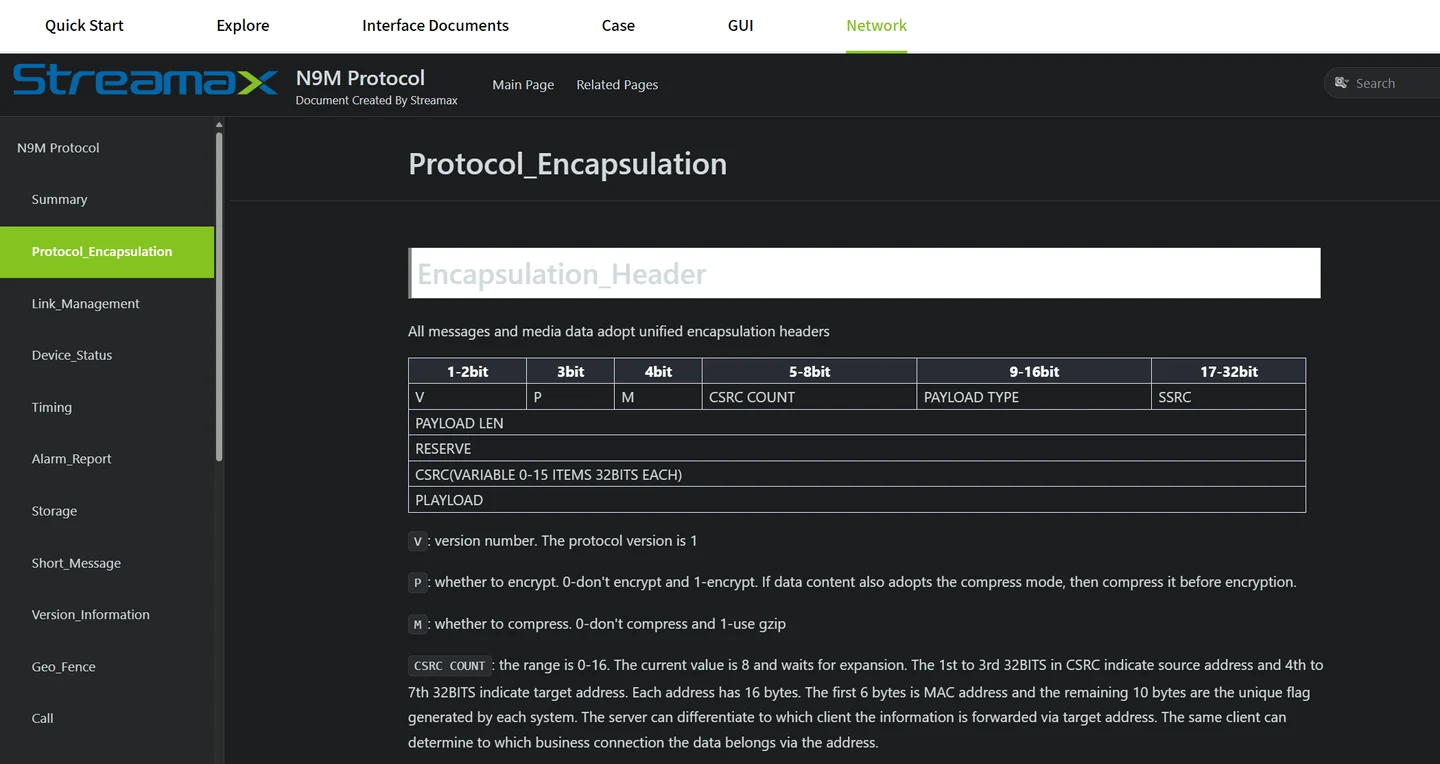
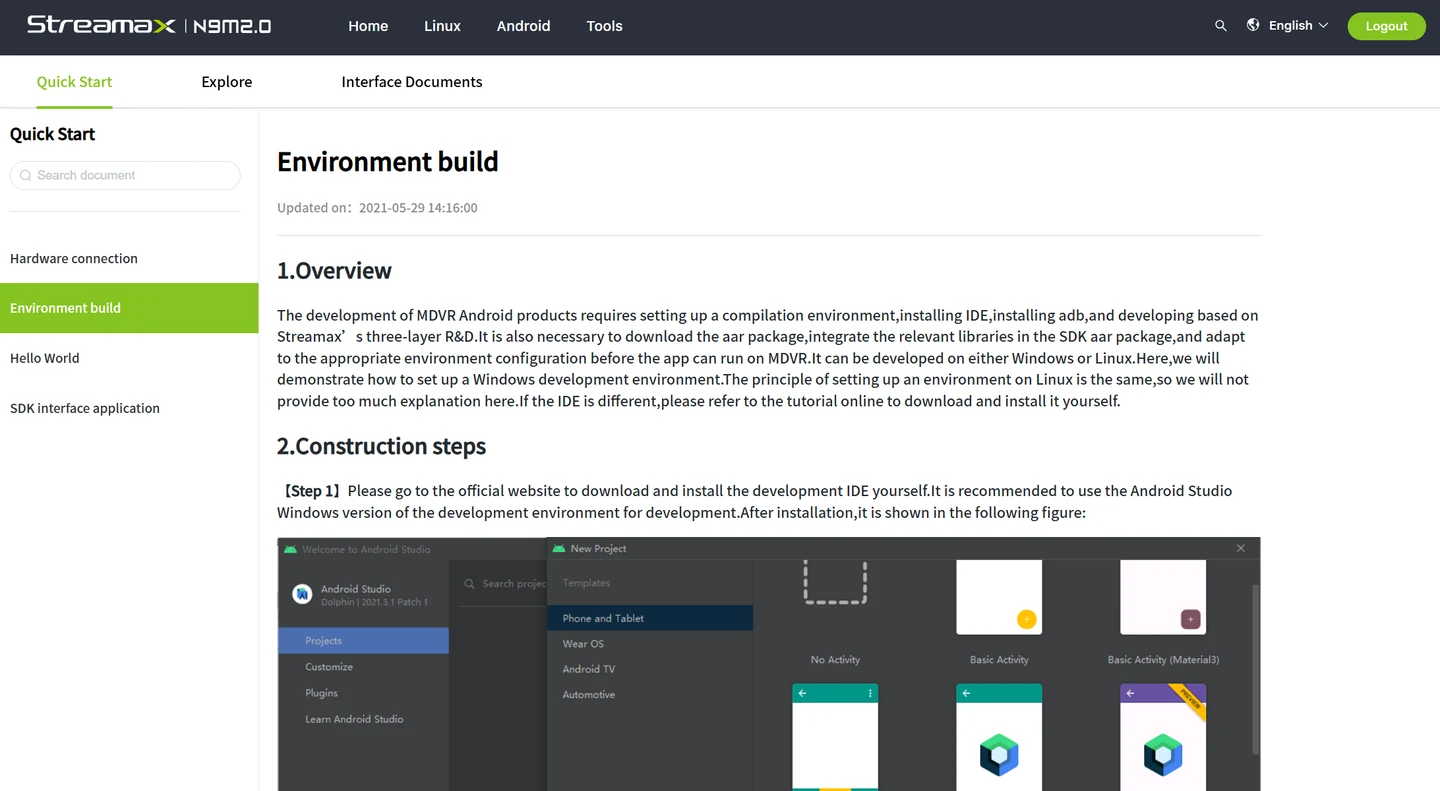
Streamax development portal showing its documentation and three-layer architecture

THE DEVELOPMENT WORKSPACE

A shared reference
for your team.

Find development guides, interface references, example demos and FAQ cases in the SDK resource environment.

01 Documentation & references02 Examples & components03 Integration & support
How to request access ↗

PLAN STORAGE

Bitrate calculator

Estimate bitrate and disk recording duration from channel count, resolution, image quality, frame rate and encoding format.

DEBUG APPLICATIONS

GDB

Debug custom functions, investigate crashes and assist performance analysis with tools supplied for the target chipset and model.

INSPECT NETWORKS

TCPDump

Inspect raw data streams during protocol development and platform integration to understand what is happening on the connection.

06 / APPLICATION EXAMPLES

Your workflow,
on the vehicle.

See how common platform capabilities become specific customer applications.

CUSTOM INTERFACES

Give the driver
the right information.

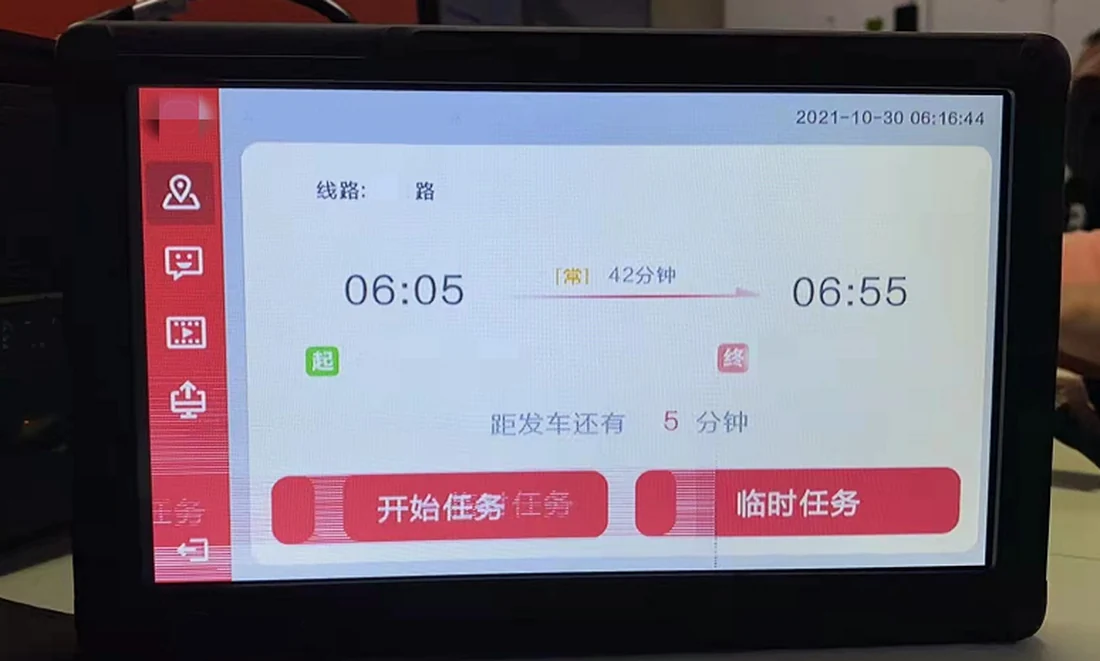
Use the GUI toolkit and components to build customer interfaces, vehicle displays and video views that match your operation.

GUI toolkitVideo previewCustom workflows
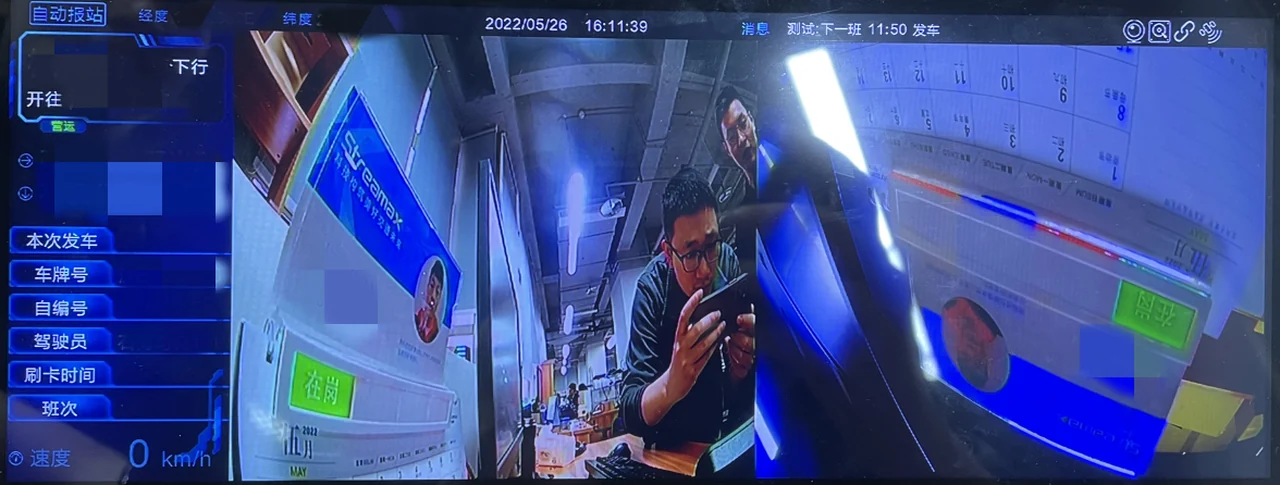
Customer GUI example displayed on an in-vehicle terminal
Customer GUI example
01 / PLATFORM INTEGRATION

A fleet platform
on your terms.

The school-bus example connects customer platform services with device status, alarms and video uploads. Custom functions include power scheduling, GPS reporting and resumable MP4 uploads.

02 / PERIPHERAL DEVELOPMENT

Bring more vehicle
data into the picture.

Build custom CAN or serial parsing with SDK peripheral interfaces. Use the existing GUI or web framework to configure and present the integration.

03 / CUSTOMER AI

Your algorithm,
on the device.

Connect a customer AI library through the adapter layer while reusing the platform's audio/video and embedded business framework.

Application cases in detail

SCHOOL BUS

A customer program connected to its own platform.

The X7V3 / X7V4 example combines preview, alarm upload, MP4 upload, device status and sleep / power control. Its baseline includes web functions, LED, overspeed alarms and serial peripherals; the underlying layer supplies AI alarms, recording, snapshots, networking, I/O, GPS and power functions.

RTSP, HTTPS and SFTP are shown between the customer program and its platform. Customer functions include timed power control, GPS reporting and resumable MP4 uploads. Define the transport and upload requirements for each function during integration.

PUBLIC TRANSIT

A vehicle application assembled around an industry baseline.

The example combines station announcements, door-linked video, passenger-flow input, AVM, CAN, GPS, video preview and media playback. In this case, the customer achieved basic product behavior within one month and later shipped in volume.

This is a reported case outcome, not a general delivery-time commitment. The public-transit features illustrate the development model and should not be assumed to belong to every freight baseline.

07 / FROM IDEA TO INTEGRATION

Start with the project.
Build with a clear path.

Work with your Streamax contact to evaluate the device, integration scope and resources your development team needs.

  1. 01

    Define the scope

    Share your target device, business requirements, interfaces and development team.

  2. 02

    Evaluate the project

    Confirm the development approach, industry baseline and SDK resource requirements.

  3. 03

    Get development access

    After approval, receive an account and the project documents, branch and resources.

  4. 04

    Build & validate

    Develop with project management and FAE support, then verify the integration.

ACCESS, DELIVERY & SUPPORT

Agree the development scope
before choosing the package.

Project initiation, account provisioning and issue handling support your team through development and integration.

Project initiation

  1. Collect customer requirements and form a requirements list.
  2. Product-line and R&D teams evaluate and establish the project.
  3. Create the development account and provide resources and documents.
  4. Continue with project management and FAE support.

Account provisioning

  1. Submit the account application.
  2. Assess the request and complete missing information.
  3. Confirm the branch and verify the resources.
  4. Communicate activation and verify customer login and access.

Issue handling

  1. Enter the issue into the support process.
  2. Analyze and assign it for resolution.
  3. Provide progress feedback, including delays where relevant.
  4. Record the outcome and return the result to the customer.

Questions to settle with the project team

A practical engineering checklist derived from the architecture—not an additional promise of SDK functionality.

Target & interfaces

Device model, chipset, firmware, SDK branch, industry baseline, operating environment and required interface families.

Application behavior

Peripheral protocols, signal definitions, event conditions, UI behavior, recording and upload requirements.

Resources & lifecycle

CPU / memory / storage budgets, startup and shutdown behavior, update procedures and compatibility expectations.

Verification & support

Test hardware, representative data, error scenarios, acceptance criteria, documentation and named support contacts.

READY TO START?

Bring the idea.
We’ll help define the path.

Use the checklist to prepare a focused discussion with your Streamax representative.

Download project checklist ↓

Suggested device development team: one product manager, two Linux C++ developers and one QA engineer.

Do I need the device-side SDK to connect my platform?+

Not always. If you only need your platform to connect to an existing device protocol, start with protocol integration. Device-side SDK development is evaluated when you need custom device behavior.

Can I download the SDK directly from this page?+

SDK resources are provided through the customer development account process. Your Streamax contact helps evaluate the project and arrange the appropriate documents, resources and access.

Are all functions available on every device?+

Confirm the available APIs, components, baseline and tooling for your selected device and SDK release during project evaluation.

SDK resource

SDK resource preview

SDK development example.